Version Control
Git records versions of files so you can compare changes, work on branches, and return to saved work. It is distributed: a regular full clone brings project history to your machine, allowing local commits and comparisons without a network. Shallow clones deliberately omit older history; partial clones may defer downloading some objects.
GitHub, GitLab, and similar services host Git repositories and add pull requests, issue tracking, access control, and automation. Git itself works without them. The Pro Git introduction explains this distinction.
The three local states
Use a new practice directory in a Bash-compatible shell. The commit commands assume Git already has your author name and email configured.
mkdir git-color-practice
cd git-color-practice
git init
printf 'blue\n' > color.txt
git add color.txt
git commit -m "Save blue"
printf 'green\n' > color.txt
git add color.txt
printf 'red\n' > color.txt
Stop here. The same file now has three versions:
git add copied the file's content into the index at that moment. Editing it afterward did not update the index. If you run plain git commit now, which color will it save? What will git diff and git diff --staged compare?
Show the answer and diff excerpts
The commit will save green, not red. Plain git diff compares the working tree with the index:
@@ -1 +1 @@
-green
+red
git diff --staged compares the index with HEAD:
@@ -1 +1 @@
-blue
+green
git status --short shows MM color.txt: the first M marks a staged modification, the second an unstaged modification.
Now commit without running git add again:
git commit -m "Save green"
git show HEAD:color.txt
cat color.txt
git show prints green; cat still prints red. The commit saved the index, leaving the later working-tree edit untouched. To include red in a subsequent commit, stage the file again.
For everyday work, the cycle is:
git status
git diff
git add path/to/file
git diff --staged
git commit -m "Explain the change"
The first diff shows what you could stage; the staged diff shows what the commit will save. Reviewing both also helps catch generated files, secrets, or unrelated edits.
 Open full-size image
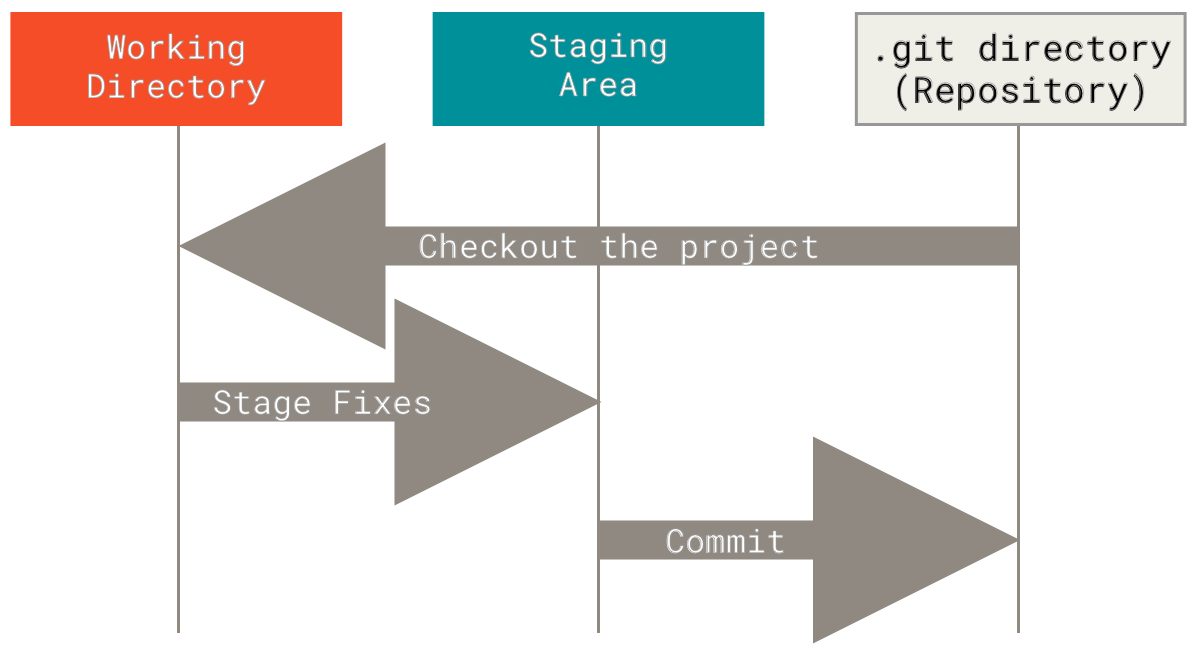
Follow Stage Fixes and Commit as separate steps. Editing changes the working tree; staging chooses what enters the next snapshot; committing records that snapshot locally. No remote appears in this figure: pushing is a separate operation.
Branches and remotes
A branch is a movable name pointing to a commit. A remote is a named URL for another repository, commonly origin. Creating the practice repository above does not configure a remote; the remote commands below assume origin is already set and you have push access.
git switch -c feature/name
git fetch origin
git log --oneline --decorate --graph --all
git push -u origin feature/name
git fetch downloads remote history and updates remote-tracking references such as origin/main, without changing the working tree or integrating changes into your current branch. git pull combines fetch with integration by merge or rebase, according to the options and configuration. Choose that behavior before pulling.
Undoing the right thing
Before a risky history operation, a temporary branch or tag can retain the current commit, but it does not save staged or unstaged edits. Save those separately with a commit or stash; include untracked files explicitly if they matter. Git's reflog can recover many earlier local commit positions, not arbitrary unsaved file contents. The Git reference gives the options for each command.
Repository basics
A useful repository usually includes a README, license when appropriate, .gitignore, and a clear default branch. Visibility, review requirements, and deployment rules belong to the hosting service and repository policy; Git does not decide them.